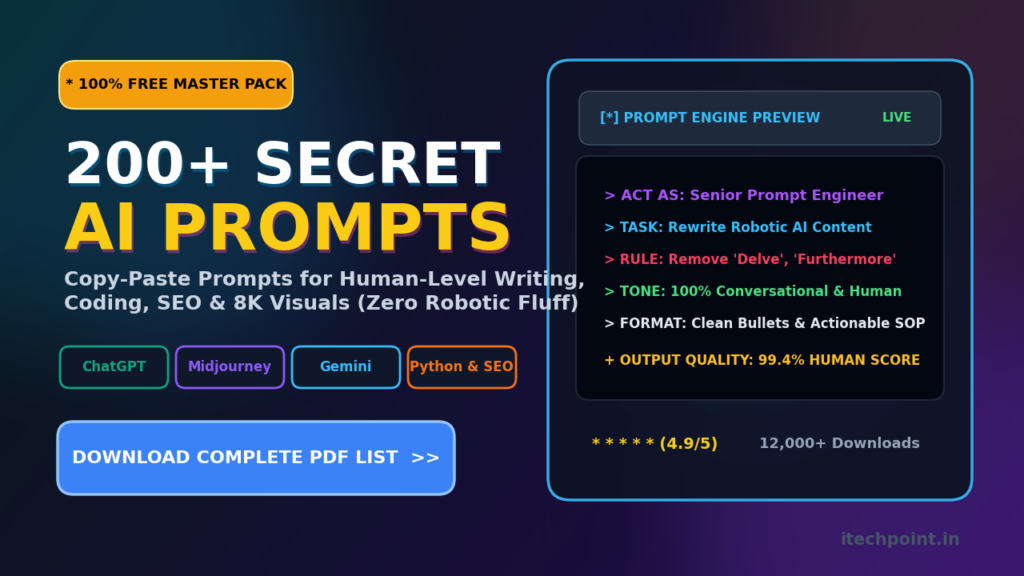
Are you growing tired of typing in basic prompts into ChatGPT or Gemini and receiving thousands of unoriginal and unexciting paragraphs in response? You are not alone, it’s the modern day equivalent of yelling into a canyon and hearing a distant echo.
The secret to unleashing the powerful mind within today’s language models is your framing and context. Think of AI as a massively-parallel processor without a compass. Without a map (a set of specific and limiting criteria), even the most powerful language model willDefault to bland, corporate textbook talk.
The web is flooded with generic prompts, but serious creators, web developers and writers need something more. We need production-ready, engineered directives to instantly save us hours of trial and error. That’s why we’ve spent the time to curate a specialized arsenal of over 200 premium prompts. We’re giving them to you, for free.
These are the exact prompts that have helped thousands of creators and developers around the world to instantly elevate their content creation, debugging speed, and social reach to a whole new level.
Let’s look at how a single engineered prompt can turn an average AI into a master of your specific request.
The Magic Behind the Prompt: Basic vs. Engineered
Let’s start with an average user’s request. They might type:
“Write an article about laptop battery life”
The result? A bland, predictable, and distinctly robotic paragraph that reads like user manual
Now, let’s examine what a prompt engineer would write to instantly get a great response:
Okay, I need you to act as a qualified hardware engineer. Write a conversational 300-word guide explaining why laptop batteries fail with 500 charge cycles. Use everyday analogies and make it easy to grasp- avoid any corporate jargon. Also, make sure you replace any ‘encyclopedia-style’ formatting with brief paragraphs and bullet points. Avoid words like ‘delve’ or ‘furthermore’.
See how much better this prompt is? A good set of instructions acts as a filter, eliminating bland corporate texts and useless verbiage to give you a whole new level of quality. Let’s use some of our categorized, engineered prompts below to get outstanding results in every area of your work.
—
### Category 1: Content Creation, SEO & Blogging Prompts
1. Click-Inducing, Non-Spammy Headlines:
Act as a senior copywriter. Come up with 10 click-worthy headlines for a blog post about [Insert Topic]. Make sure they are not spammy, address the pain points, and be under 60 characters each.
2. Voice & Tone Polisher (The Robot Purger):
Please rewrite this draft in a way that removes passive voice constructions, robotic transitions, and predictable sentence structures. Change the tone to sound more like a casual discussion with a friendly peer. Keep it short, punchy, and direct: [Insert Draft Text Here]
3. Keyword-Focused Blog Post Outline:
I need you to create a comprehensive 8-paragraph blog post outline for the primary keyword [Insert Keyword]. Include a keyword-focused introduction, main headings, and subheadings, and make sure to cover critical subtopics that competitors’ posts are completely missing.
4. Hook-Driven Intro Paragraph:
Write a sharp 120-word introduction to a blog post about [Insert Topic]. Start with a hook question, express strong doubt about a common belief, and briefly summarize exactly what value the reader will find in the article.
—
### Category 2: Coding, Web Dev & Bug-Fixing Prompts
1. Code Debugger & Refactorer:
Please review this code snippet: [Insert Code]. Tell me what logical mistakes or efficiencies you have noticed. Re-write the code for maximum speed, and then explain your changes in exactly two concise sentences.
2. Newsletter Signup Card Markup:
Write clean HTML5 and modern Tailwind CSS code for a mobile-responsive newsletter signup card. Add subtle hover animation effects, accessible tags, and ensure it looks perfect on all screen sizes.
3. Directory Image Compression Script:
Write a modular Python script that will automatically compress all large images (.jpg, .png, .jpeg) in a specific directory. The script must convert the files to WebP format only if they are bigger than 1MB. Finally, log the exact space saved to a clean table in the console.
### Category 3: Social Media Creation Prompts
1. YouTube First-10-Second Hook Generator:
I need 5 high-retention hook options for a YouTube video about [Insert Topic]. The goal is to design the first 10 seconds of the video to make people stop scrolling and encourage them to continue watching the entire video.
2. Educational Carousel Structure:
Create a 6-slide educational LinkedIn/Instagram carousel about [Insert Complex Concept]. Describe exactly what each slide should say and how it should be visually presented. Add a compelling CTA on the last slide to encourage people to ‘save’ the post.
3. Cold Outreach Message for Founders:
Write a brief, punchy, 75-word message for a LinkedIn cold outreach to a [Insert Industry] founder. Mention a specific, relatable problem their industry is facing and suggest a call to briefly discuss a potential solution.
—
### Category 4: Midjourney & DALL-E Image Prompts
1. Realistic Developer Space:
A hyper-realistic 3D render of a tidy developer room at dusk with ambient purple LED bias lighting. Notice the curved monitor, black mechanical keyboard, and minimalist wooden furniture. Soft shadows, 85mm lens – 8k resolution, cinematic 16:9 aspect ratio
2. Futuristic Tech Device Close-Up:
Stunning macro photography of a futuristic device made of glass on a dark gray slate surface. Look closely to see the intricate, complex electronics inside that emit a bright cyan color. Dramatic side-lighting, hyper-realistic, v 6.0
3. Cozy Cyberpunk Aesthetic:
A futuristic cyberpunk-style apartment room with a warm desk lamp. Soft, cozy light falls across the keyboard. Outside the window, you can see the rainy streets and massive neon signs reflecting on the wet pavement.
—
### Download the Full Library of 200+ Premium Prompts
Ready to totally transform your digital workflow? The categorized frameworks above are just the beginning. We’ve compiled our entire specialized library of over 200 production-ready prompts into a downloadable, searchable, categorized database.
This library contains advanced directives for complex coding tasks, detailed marketing copy generation, humanizing AI content, niche specific SEO outlines, and creative fiction writing.
You’re 200 prompts away from working 10x faster and achieving amazing results. Simply download the entire database right now, for free.
⚡ DOWNLOAD 200+ FREE PREMIUM PROMPTS (PDF) ⚡
### 3 Simple Rules to Master Any AI Tool
When you’re ready to write your own high-performance prompts, always remember these three rules of thumb for prompt engineering:
• Assign a Dedicated Persona: Always tell the model who it is speaking to (e.g., “act as a senior developer”).
• Write Out What You Want to Exclude: A list of restrictions is just as important as the goals (e.g., “do not use markdown,” “avoid corporate jargon,” or “limit the response to 150 words”).
• Edit the Response Instead of Starting Over: Never wipe the chat if the output is only 70% of what you wanted. Edit the output by guiding the AI: “Make it 25% shorter and make the second bullet point more aggressive.”
Language models can perform brilliantly, but every tool needs a competent operator to frame the task. By investing the time to create a quality prompt, you can accelerate your work by 10x and achieve amazing results.